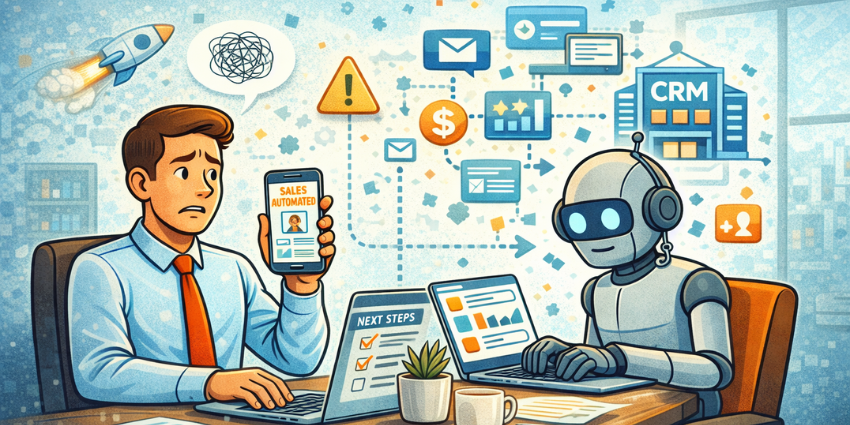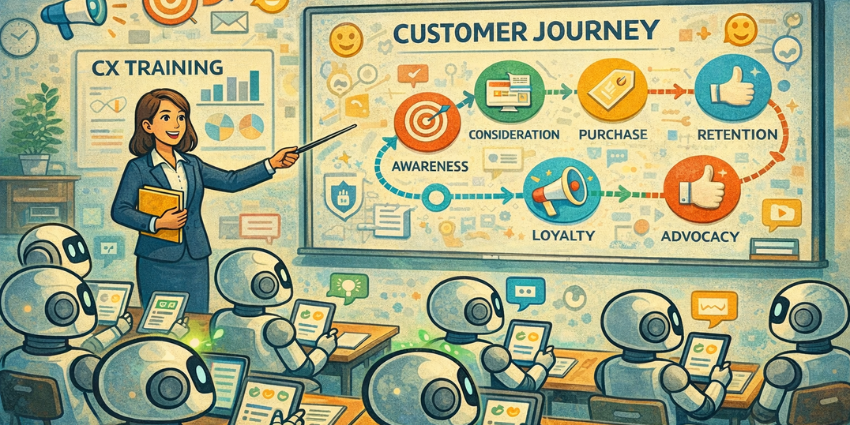

There’s a real problem with AI agent training these days. Everyone says you need to give your sales, marketing, and customer service agents real data so they actually know how your customers behave (and can react in a way that’s relevant). At the same time, you’re juggling the responsibility of keeping customer data protected and genuinely private. It’s not easy to strike a middle ground.
Unfortunately, this problem is just getting bigger, particularly since agentic AI tools are handling more parts of the customer journey than they used to.
Somehow, you need to create entire teams of orchestrated agents that know how real customers act. If your AI agent training relies on neat little scripts or FAQ pages that have been gathering dust since your last rebrand, you’re setting yourself up for a mess.
But you also need to be sure you’re not putting the brand in the blast zone as new trust and compliance issues show up.
“It feels like a headache waiting to happen, but there is a straightforward way through it.”
Why AI Agent Training Needs Real Journey-Based Data
The funny thing about automation is how tidy it looks on the surface. You’ve got workflows with straight lines, neat arrows, and clear links between different members of your digital team.
The trouble is, real customers aren’t that tidy, and they don’t follow the paths we expect. People wander. They try one channel, then another. Sometimes they vent. Sometimes they ask a billing question in the middle of a conversation about product care. This is exactly why AI agent training falls apart when it’s built on static playbooks.
The Storio Group’s experience is such a perfect example. Once their models were trained on full, messy, multi-turn conversations, resolution rates jumped by 40%, and they stopped losing so many conversations midstream. That’s the thing synthetic data can’t imitate: the rough edges, half-explained problems, the moments when a customer contradicts themselves because they’re stressed.
When companies ignore what customers are really experiencing, that’s when journey fragmentation issues start to crop up. The entire orchestration strategy cracks the second the customers go “off script.”
“Ultimately, FAQs and knowledge-base articles aren’t enough.”
Policies shift, pricing changes, a new returns rule sneaks in, and the model keeps clinging to last quarter’s reality. Journeys evolve, so customer journey AI models have to evolve with them.
What Data Can Be Safely Used for AI Agent Training?
This is where the “safety” part comes into the mix. Stuffing every single bit of personal data you’ve collected from your customers over the years into an AI model might give you an agent that really has its “finger on the pulse”, but it’ll also give you a compliance nightmare.
Before you start training sales automation tools, personalization engines, or just customer service agents, you need to know what data is safe. The answer to that can vary depending on the industry you’re in, and the compliance rules you have to follow, but you can usually start with:
- Anonymized transcripts and tickets
- Channel history (the “I tried chat first, then phone…” breadcrumb trail)
- Behavioral patterns from your analytics stack (not linked to a specific customer)
- Outcome codes, sentiment markers, and escalation reasons
- Policy docs, product specs, and other reference material
The moment sensitive details creep in, like payment data, personal identifiers, or those emotional disclosures people make when they’re stressed, you need to slow down. Mask it, strip it, or cut it out entirely. Automated redaction helps, and many tools offer that now, but it’s a good idea to get a human to double-check.
Consent is another area where companies get sloppy. Some treat it like a checkbox, but it’s more like a guardrail you keep repainting. Ask customers for permission before you use anything they might want to keep private. Be explicit about when anonymized customer data can be used and stick to that boundary. Most AI “failures” start with data you shouldn’t have relied on in the first place.
Also, fix the data disconnect problem earlier. Information from your CRM, contact center, and messaging tools can all be useful, but only if it’s clean and aligned.
How to Source Real Customer Journeys for AI Agent Training
For most companies, the problem doesn’t start with finding data they can safely use for AI agent training; it starts with getting all that information synchronized. You can’t build reliable customer journey AI models if the journey itself is split into fragments.
The fix is just pulling everything into one place. One “customer memory.” When SOFACOMPANY unified Zendesk across channels, suddenly the AI could see the whole story, and that’s when the 92% deflection rate and major cost savings showed up.
When you’re extracting journeys, the goal isn’t a tidy transcript; it’s the full arc. The attempts, the pivots, the emotions. Include:
- Self-service attempts (even the abandoned ones)
- What the bot tried first
- The escalations to humans
- Follow-up messages
- Final resolution or whatever passed for it
You want a complete view, just without the “personal identifiers” that make using genuine customer data risky. It also helps to start with simple, low-risk journeys that you don’t have to worry about automating in the first place. Build a database for predictable flows: order tracking, simple refunds, and appointment changes. Leave stuff like payment disputes and regulated conversations to humans.
Training AI Agents Safely Using Real Customer Journeys
The strange thing about automation projects is how fast they sprint toward the technical parts. People want to talk about embeddings, vector stores, guardrails, and orchestration layers.
But when an AI agent behaves badly, when it refunds something it shouldn’t, or answers with a tone that sounds nothing like your brand, the root cause is almost never the model. It’s the foundation, the way the team defined the job, or didn’t. It’s the data they fed it, and the rules they forgot to set because “we’ll get to it later.”
Let’s walk through the training journey properly.
Step 1: Define the mission, the boundaries, and the risk appetite
Before the model looks at anything, agree on what the AI can actually use and what’s off-limits. Spell out things like:
- Which journeys are “automation-ready”?
- Which journeys stay human-only?
- Where do you allow assistive AI but not autonomous action?
Create risk tiers while you’re here. Low-risk flows like order tracking or appointment reminders tend to behave themselves. Medium-risk flows (refunds within policy, loyalty queries) need guardrails. Regulated flows like financial corrections, insurance claims, or identity checks should stay human until the AI proves it won’t improvise.
Define the scoreboard early, too. Metrics like deflection, escalation accuracy, average quality score, and safety indicators (PII attempts, policy violations) should be in writing before you train anything.
Step 2: Build a safe, anonymized training corpus
Next comes the data cleanup, which is usually where teams start getting twitchy. Everyone’s eager to jump ahead and start training, but this part determines whether the model behaves or goes off in strange directions.
Strip out anything personal. Names, addresses, emails, phone numbers, card information, and identification details. Even a throwaway detail can identify someone if you’re not careful. Automated tools catch most of the obvious stuff, but you still need a human glance to catch the weird leftovers.
Then label what matters:
- Intents and sub-intents
- Sentiment swings
- Escalation triggers
- Missing-information patterns
- How journeys ended
While you’re in cleanup mode, get rid of the junk: bad tags, broken transcripts, or moments where an agent went completely off-script. Leave that stuff in, and it’ll cause trouble later. The point here isn’t to preserve everything; it’s to preserve the right things for your AI agent training strategy.
Step 3: Create a journey-aware knowledge and retrieval layer
Every good AI agent needs a stable reference frame. Otherwise, it starts guessing. This is where the knowledge layer comes in.
Break your policies, product rules, troubleshooting steps, regional variations, and service workflows into small chunks the model can actually retrieve. The tight structure isn’t busywork. Toyota’s E-Care system works as well as it does, booking 95% of appointments and earning 98% positive feedback, because its policies aren’t buried in long documents.
“They’re structured, current, and machine-friendly.”
A solid knowledge layer should read like a real picture of how your business operates today, not an idealized version from last year. Nothing undermines safe AI training faster than stale or mismatched content. Keep this layer alive and updated, not buried in a documentation archive.
Step 4: Train the intent, policy, and dialogue models on real journeys
Now you can start on the work that really makes customer experiences with AI agents feel personalized, and relevant. You use real conversations (anonymized and safe) to teach the model how human interactions unfold. They show the messy bits:
- When customers leave out crucial information
- When verification is needed but not volunteered
- The tone customers use when they’re “fine” versus when they’re absolutely not
- The moment a good agent knows to escalate
Include transcripts from your best human agents. The ones who can calm a tense customer or know how to explain a billing correction without making it sound like the company messed up. Let the AI learn their rhythms.
Always remember: this isn’t about creating a perfect script. It’s about giving the model the instincts your best agents use unconsciously. That’s the whole advantage of using agentic AI models instead of rule-based bots.
Step 5: Implement guardrails and safe-action policies
Don’t relax too early just because your model works well during testing. Guardrails are the thing standing between “useful automation” and “a very long meeting with your compliance team.”
Build action thresholds into your orchestration design. A refund request? The model should only proceed if it’s within policy, the customer identity is verified, and the confidence score crosses whatever line your team agreed on back in Step 1. Anything outside those limits should bounce to a human without hesitation.
Topic filters are a huge part of safe AI training, too. Some domains are inherently problematic: medical advice, legal claims, contract disputes, and anything involving money movement. Even if you trust the model, don’t let it freelance here.
Don’t brush off emotional signals. Customers communicate plenty between the lines. Short, clipped replies, long gaps, rising tension: these are clues. Your agents, human or AI, need to pick up on them and hand things over when the moment calls for it.
Step 6: Establish human-in-the-loop (HITL) oversight
The temptation to “let the AI run” once it performs well in a sandbox is enormous, especially when leadership is pushing for cost savings. But nothing replaces steady human oversight. HITL is the insurance policy that keeps things from spiraling when the AI encounters something brand-new.
Run the early stages in preview mode. Let supervisors or QA analysts see every proposed action and approve or adjust it. Sample conversations regularly, daily at first, then weekly as the system stabilizes. Have reviewers score them not just on accuracy, but tone, safety, and whether the AI interpreted the customer’s intent reasonably.
Also, treat feedback as fuel. Every correction is another training example. Every escalation is data. AI agents mature the same way great employees do: repetition, coaching, and the occasional “don’t ever do that again.”
Step 7: Continuous retraining, drift monitoring, and governance
Even a well-trained model can drift when the ground shifts, and customer experience never stays still. Return terms change. Billing gets updated. A product fix creates a new issue somewhere else. Any of these can push the model into odd or unsafe behavior if you’re not watching.
Use AI behavior monitoring strategies to watch tripwires:
- A sudden spike in escalations
- Emotional tone turning negative
- CSAT falling for journeys the AI usually handles well
- Answers that feel slightly “off,” almost like the agent is remixing outdated guidance
Retraining should be small and steady, not “big bang” updates twice a year. Your strategy for AI agent training can’t stop after one month. It needs to keep going.
Safe AI Agent Training Metrics to Track
You can usually tell pretty quickly whether an AI agent is actually helping or just creating cleaner-looking problems. The data makes it obvious once you know where to look. Start with a few simple metrics:
- Resolution rate: Still one of the simplest truth-tellers. If your agents are resolving more problems without handing them to humans, you’re on the right path.
- Handle time: If the AI is doing its job, calls and chats get shorter without feeling rushed; sometimes, human agents work faster, too.
- Deflection (the good kind): Ignore queries that were “deflected” by an AI agent but ended up boomeranging back through another channel. If repeat contacts spike, that’s not deflection.
- NPS/CSAT shifts on AI-handled journeys: Actually pay attention to what your customers are saying about their experiences with AI.
- Sentiment trends: If frustration flares on flows the AI usually handles cleanly, that’s a quiet warning.
Alongside those metrics, shift to the safety signals, they’re the ones that determine whether you can trust your AI agent training at scale:
- Unexpected escalations
- Off-brand tone or wording
- Policy slips (even small ones)
- Answers that feel slightly out of date
- Any spike in corrections or QA overrides
If those stay low while the customer-facing metrics climb, that’s a solid indicator that the customer journey AI models are doing exactly what you trained them to do, safely.
Safe AI Agent Training Made Simple: Real Data without Risks
Spend enough time reviewing agentic AI projects, and you’ll see a lot of them fail for painfully ordinary reasons. Not because the tech isn’t good enough, but because the training didn’t match the reality of how customers behave, or if it did, it didn’t take governance into account.
Realistically, your agentic AI systems need real customer data if they’re going to handle genuine journeys with any real accuracy. Using authentic insights stops you from creating agents that react to what they think a customer’s going to say or do, rather than what’s really happening.
All you need is a strategy for using that data in a way that’s safe, respectful, and compliant. Once you’ve got that figured out, building an agentic team that actually delivers ROI (without putting your business at risk), feels a lot easier.
That’s where you can start to really scale, embedding AI into your full customer service, marketing, and sales technology stack, the type we outline in this guide.